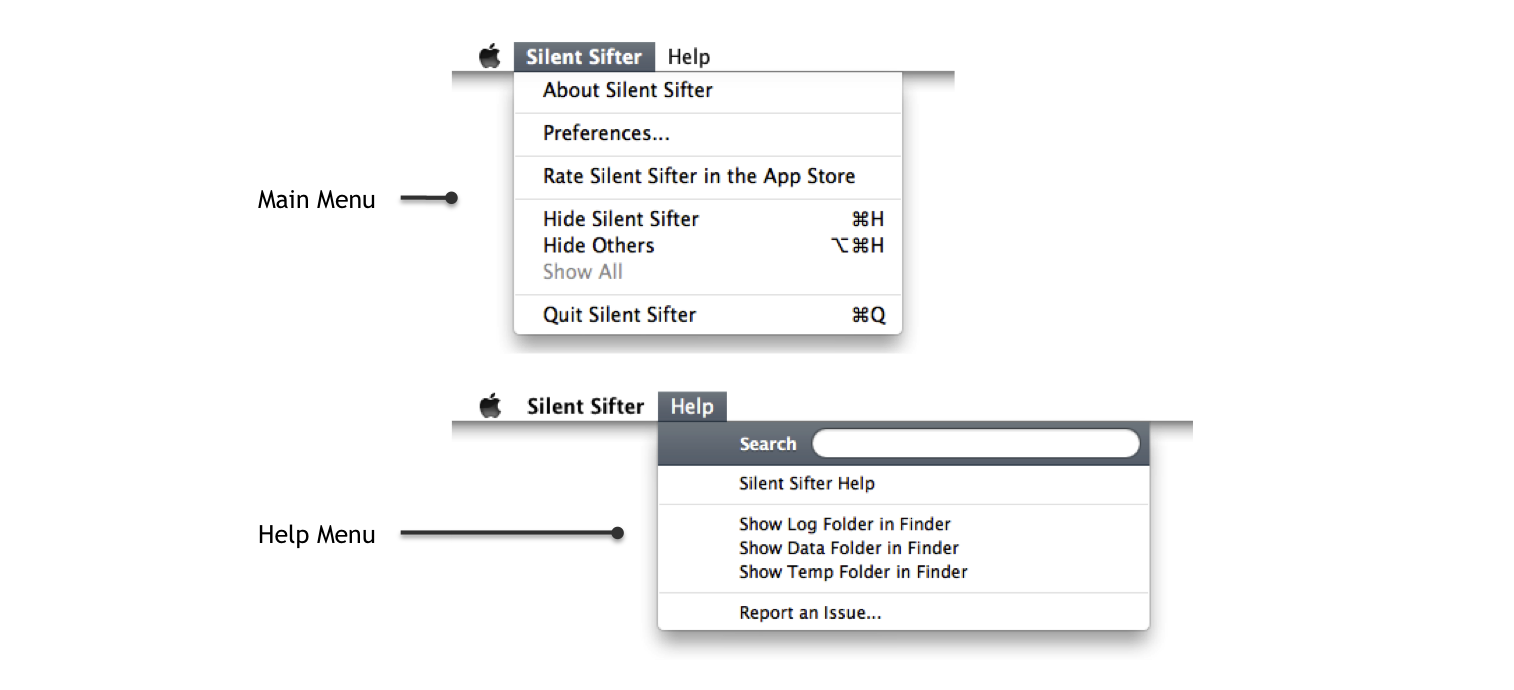
Silent Sifter provides a standard Main Menu at the top of the screen while it is running, and is the active application. The primary purpose of the Main Menu is to provide a means to open Preferences, Help, and close Silent Sifter.
Preferences
When you press the Preferences… menu item, you will be taken to the Preferences screen, to select your global Silent Sifter preferences.
Showing the Log Folder
Normally you do not need to show the log folder, but in some cases when working with Vector 15 support staff, we may ask you to provide us with files from this folder.
This folder contains the system.log, and prior to Silent Sifter version 2.5 it also contained the sift.log file with all historical sifting history.
Showing the Data Folder
Normally you do not need to show the data folder, but in some cases when working with Vector 15 support staff, we may ask you to provide us with data from this folder.
This folder contains the configuration options, your sift history, and your metadata cache files. These files are crucial to the operation of Silent Sifter.
Showing the Temp Folder
Normally you do not need to show the temporary folder, but in some cases when working with Vector 15 support staff, we may ask you to provide us with data from this folder.
This folder is where Silent Sifter stores files temporarily during the sift process. For example when importing photos from a camera, they are stored in the temporary folder. If there are no sift operations in progress, it is safe to remove the contents of this folder.
Reporting an Issue
Hopefully you never need to report an issue, but when you do, feel free to use this option.
You can also report an issue or ask a question by visiting our support site and clicking on ‘Help’.