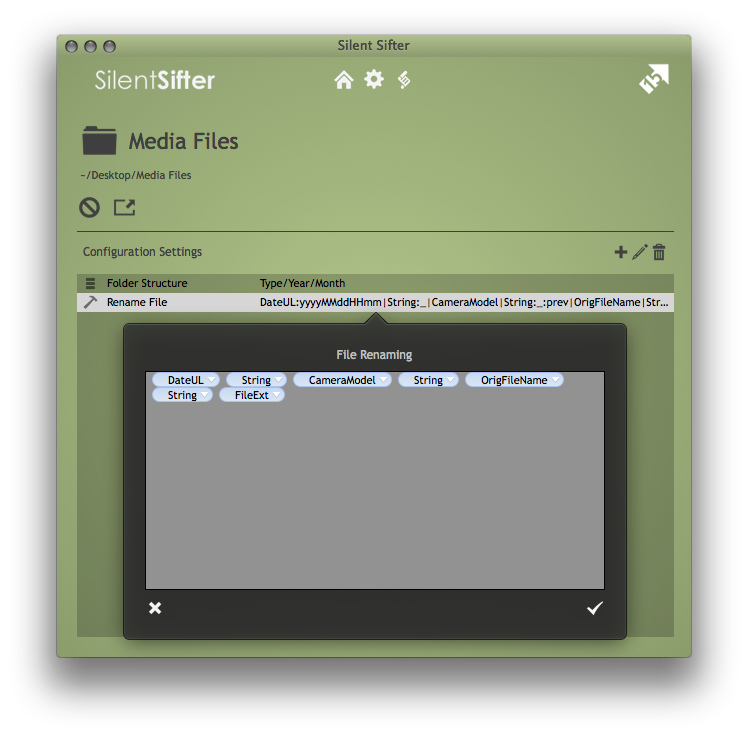
When you are creating a custom folder structure pattern or file renaming pattern, you will be using the Token editor.
The token editor allows you to type in tokens, and provides useful features to make it as easy as possible to create a semantically-correct pattern, including:
- Auto-completion of token names as you type
- Shortening of tokens into ‘pills’ so you can see more tokens on the screen
- Token menus, so you can click on a token ‘pill’ to view or modify the token
- Token menu with example values for the given token
- Token menu with common token date formats for the Date, DateUL, and String tokens
- Token menu showing the options applied to the token
- Token menu for adding a token option to the end of the token
Note that token auto-completion for image, spotlight, and file raw metadata attributes will only occur after Silent Sifter has discovered these metadata attribute while sifting files.
Note that example values for all tokens will only be available after Silent Sifter has discovered examples while sifting files.