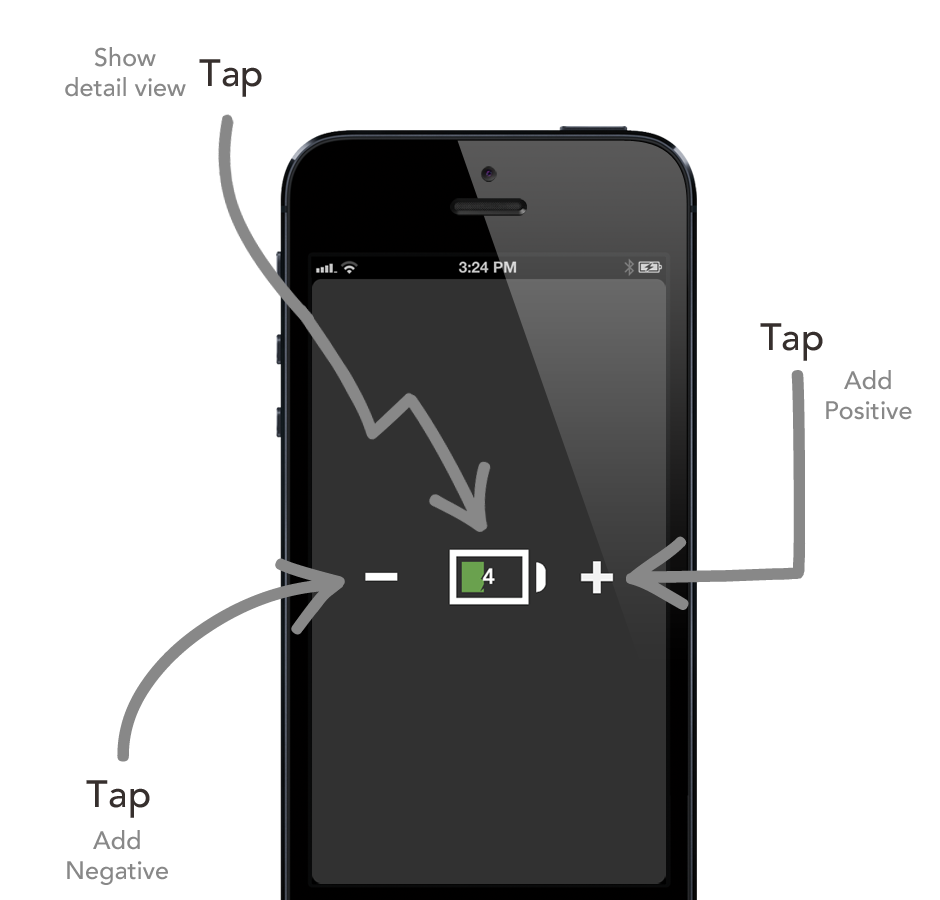
When you launch LifeCharge, it will start by default in the Home screen
There are three operations possible from this screen:
- Journal a setback (negative)
- Journal an achievement (positive)
- Expand to view the detail view
Journal a setback
To add a negative charge, tap on the '-' button, and you will be presented with the charge entry screen.
Journal an achievement
To add a positive charge, tap on the '+' button, and you will be presented with the charge entry screen
Expand to the detailed view
To expand to the detailed view, tap on the charge sum icon (the battery) in the middle of the screen